301 vs 302 Redirects: What Small Business Owners Need to Know for Better SEO
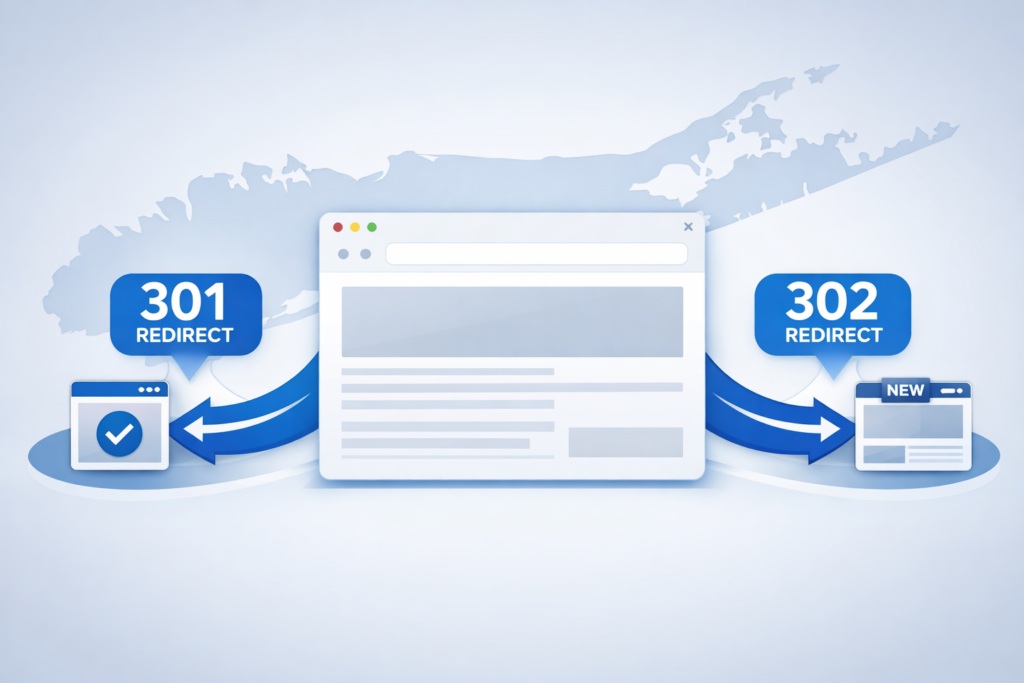
Every shortened link in your bio, every QR code on a printed flyer, every scheduled caption pointing to /spring-promo runs through at least one redirect on its way to the landing page. Use a 302 where you should have used a 301, and you don’t just leak SEO equity, you quietly cap how much of that hard-won social traffic ever sticks. The two redirect types look identical inside a browser. Google’s index and your campaign analytics treat them very differently.
Why It Matters
A modern social media manager runs links across a dozen surfaces at once: Instagram and TikTok bios, LinkedIn posts, X threads, Pinterest pins, YouTube descriptions, email auto-DMs, QR codes on event signage, and tracked URLs inside paid social campaigns. Every one of those links is a redirect, whether you set it up yourself in a shortener, your link-in-bio page, or your CMS, and every one of them eventually resolves to a page on your website.
When that website changes, a redesign, a domain switch, a restructure of /services into /our-services, somebody has to decide what happens to the old URL. The decision is technical, but the consequences land squarely on the social team. Misused 302 redirects are one of the most common technical SEO problems on small-business websites, often left behind by developers who default to 302 without considering the SEO implications.
What’s New / How It Works
A 301 redirect tells search engines and browsers that a page has permanently moved. When Google encounters a 301, it transfers the vast majority of the original URL’s ranking authority, backlinks, indexing history, search signals, to the new destination. Over time it drops the old URL from its index entirely and replaces it with the new one. This is the redirect you want anytime a change is meant to last.
A 302 redirect signals a temporary move. It tells search engines to keep the original URL in their index because the page will eventually return to its old location. Per Google’s own redirect documentation, the engine treats 302s as a hint that the original URL is still the canonical one. That’s a feature when the move really is temporary, and a quiet disaster when it isn’t.
For social media managers, the practical translation is this: the URL behind your link-in-bio button, your tracked campaign link, your QR code, and your shortener, they’re all only as durable as the last redirect in the chain. A misconfigured 302 on the website side can keep search-engine equity stranded on a page that no longer renders, while still passing visitors through. Your traffic numbers look fine. Your ranking, brand-search visibility, and AI-search citations slowly bleed out.
A misconfigured 302 on the website side quietly caps how much of your hard-won social traffic ever actually sticks in search.
The Numbers
Headline stats on redirect behavior worth keeping in front of you:
- Up to ~5 redirect hops, Google’s documented practical maximum for following a chain before it gives up on the URL.
- The vast majority of link equity passes through a correctly implemented 301 to its new destination.
- No guaranteed pass-through on a 302, search engines treat the original URL as canonical and may withhold ranking credit from the destination indefinitely.
- One default setting in many CMS plugins and link-shortener tools, the 302, is the single most common source of unintended SEO loss on small-business sites.
- Zero visibility in standard social analytics dashboards: redirect type doesn’t show up in your reach, click, or conversion metrics until rankings drop.
If you redesigned your website two years ago and the old URLs are still 302-redirecting to the new ones, Google may still be trying to index the old URLs and withholding full ranking credit from your current pages. Fixing this is often one of the fastest wins in a technical SEO audit.
What Comes Next
The redirect question isn’t going away, it’s getting more consequential. AI Overviews in Google, plus citation-driven answers in ChatGPT, Perplexity, and Gemini, lean heavily on stable canonical URLs to decide what to cite and link back to. Pages buried behind redirect chains, looping 302s, or zombie URLs that no longer respond are routinely skipped.
The tooling is improving in parallel. AI-powered crawlers built into Semrush, Ahrefs, Sitebulb, and a wave of newer auditing platforms can flag misused 302s, surface redirect chains, and map every legacy URL to its current destination automatically, work that used to take a developer days. Quarterly audits, especially after any campaign that drove large amounts of inbound traffic, are now table stakes for any brand serious about durable visibility.
Expect more pressure from the AI search side. Models that cite the web for grounded answers prefer URLs that resolve in one hop. If your brand keeps showing up as a 302-then-301-then-404 detour, you’re not going to be the answer the model picks.
What This Means for You
If you run social for a brand, or a portfolio of them, your redirect health isn’t an “ask the dev team later” item. It’s a Monday-morning task. Three workflows worth locking in this quarter:
1. Audit every link in your active scheduling queue. Inside Feedsta’s scheduler, pull every queued post for the next 60 days and run the destination URLs through a redirect checker. Anything that hops more than once, or returns a 302 to a “permanent” new page, gets rewritten now, not after the post goes live and the QR code is already on the flyer.
2. Let your shortener do the work it was built for. A clean fsta.li short link gives you one permanent endpoint that you control. When the underlying landing page changes URL, you update the destination inside the shortener, your printed QR codes, scheduled captions, and link-in-bio buttons keep working without rebuilding a single asset.
3. Treat any CMS migration as a social-stack event. A WordPress redesign, domain change, or restructure will break things downstream long after the dev team has moved on. The full pre-flight checklist lives in our WordPress site migration checklist for social media managers, and the broader 2026 search context, including how AI Overviews and brand signals interact with redirect health, is mapped out in our top 2026 SEO moves for social media managers.
The Bigger Picture
Redirects are the boring plumbing under every social campaign you’ve ever run. They almost never make it into a quarterly report, and they’re almost never the first thing anyone checks when traffic dips. That’s exactly why a half-hour audit, on your link-in-bio destinations, your scheduled posts, your active shorteners, has more upside in 2026 than another round of caption tweaking. A 302 where you needed a 301 quietly drains the audience you spent months building. Get the small thing right, and the big numbers take care of themselves.