Best WordPress SEO Plugins for Small Business Websites in 2026
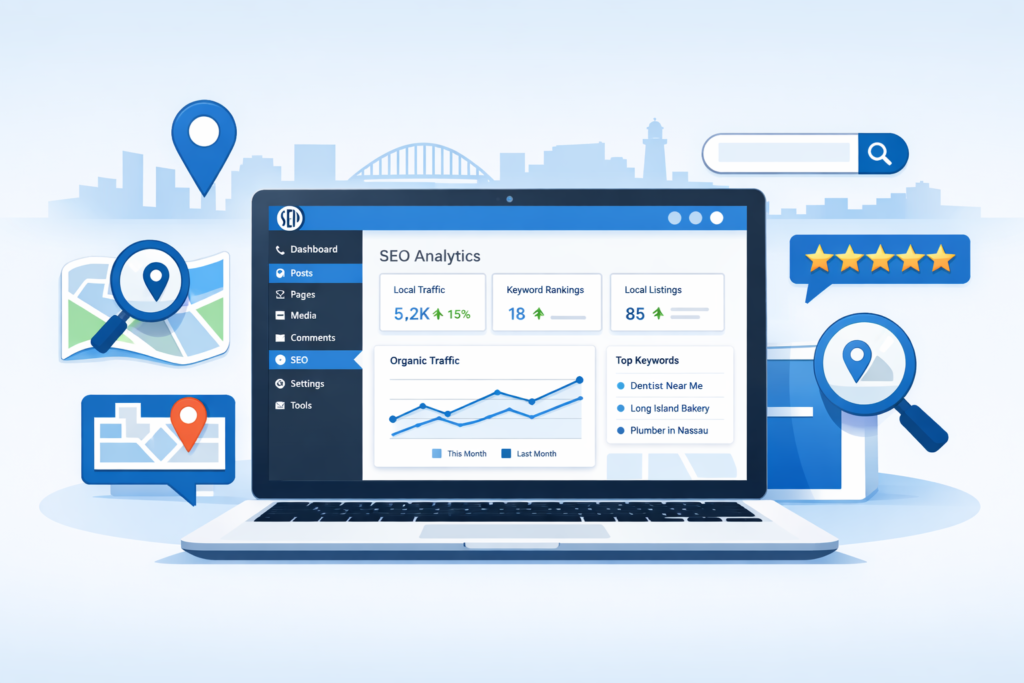
When a Feedsta-scheduled post or a fsta.li short link sends traffic to your WordPress landing page, the SEO plugin running that page silently decides what happens next, whether the click compounds into a ranking signal, whether your social preview renders correctly on Facebook and LinkedIn, and whether Google’s AI Overviews ever cite the page when prospects research your brand. For social media managers feeding traffic into WordPress in 2026, the plugin choice is no longer the dev team’s problem alone.
Why It Matters
The hand-off between social and search has tightened. Open Graph tags, Twitter/X Cards, schema markup, and meta descriptions are all controlled by your SEO plugin, and they decide how every shared link renders across Meta, LinkedIn, X, and search results. Get them wrong and a meticulously planned campaign sends people to blank previews and bare snippets. The plugin you install determines how search engines read your pages, how your local listings appear in Google, and whether your site’s technical foundation helps or hurts your rankings, and that logic now extends to social: if Google can’t parse it, neither can LinkedIn’s preview crawler or Facebook’s share card.
What’s New and How It Works
The 2026 lineup pulled AI into every major plugin. Rank Math’s Content AI feature, expanded in late 2025, now delivers real-time content suggestions based on competitor analysis and search intent, recommending related terms, optimal content length, and heading structures. Yoast shipped improved AI-generated title and meta description suggestions in early 2026, narrowing the gap. AIOSEO continues to lean on its guided setup wizard and a link assistant that surfaces internal linking opportunities across location pages, useful when you’re publishing dozens of city-specific service variants from a single brand voice.
For social media managers, the practical upshot is consistency. The same AI scoring that grades the long-form blog post can be used to keep social-derived landing pages from drifting off message when you repurpose post copy across platforms. Rank Math’s local SEO module also supports multiple business locations natively, generating LocalBusiness schema without a separate plugin or any custom code.
The Numbers
Plugin pricing and feature comparison for 2026:
- Rank Math: free tier includes multi-keyword optimization, advanced schema, redirection management, and Google Search Console integration, see the official WordPress.org listing
- Yoast Premium: roughly $99/year per single site, with the local SEO add-on sold separately
- AIOSEO Plus: starts at $49.60/year for local SEO tools, advanced schema, and the link assistant
- SEOPress Pro: one-time annual fee covering every feature with no upsells or separate add-ons
- Both Rank Math and Yoast now ship AI detection and optimization tools as standard in their 2026 releases
- All four major plugins handle Open Graph and Twitter/X Card markup natively, but only if configured
“No plugin replaces a real SEO strategy. Plugins handle the technical plumbing, schema markup, meta tags, sitemaps, and on-page analysis, but they don’t create content strategies, build local citations, or earn backlinks from authoritative publications and directories.”
When a fsta.li click lands on a WordPress page, the SEO plugin decides whether it compounds into a ranking signal or disappears as one-time traffic.
What Comes Next
Expect continued convergence between SEO plugins and AI workflows. As Google’s helpful content evaluations get sharper at separating AI-assisted writing that adds value from generic AI slop, the plugin-side detection tools will matter more, not less. Both Rank Math and Yoast are positioning their AI scoring as quality gates rather than content generators, a direction that suits social media managers who are already repurposing post copy into long-form blog content and need a sanity check before publishing.
Schema is the other near-term battle. As LocalBusiness, Event, and Product schema get pulled into AI Overviews and the new AI search experiences, the plugins shipping the cleanest structured data quietly win citations their competitors can’t reach. Google’s own LocalBusiness structured data documentation spells out the required properties, and every major plugin in this roundup ships them by default. Put bluntly: a plugin is a tool, not a substitute for expertise. That’s especially true when AI assistants are the new gatekeepers between your brand and a discovery query.
What This Means for You
Four practical takeaways for social media managers:
- Audit Open Graph rendering on every link-in-bio destination. A great Reel preview that lands on a broken Facebook share card is a wasted impression. All four plugins handle Open Graph, but only if someone configured it.
- Push for LocalBusiness schema on multi-location brands. This is what feeds AI Overviews when someone asks “best [service] near me.” If your brand serves multiple regions, the WordPress plugin shipping that schema is the difference between getting cited and being invisible.
- Use the link assistant features. AIOSEO’s tool and Rank Math’s contextual suggestions turn social-driven landing-page traffic into longer sessions. Our image SEO playbook for social media managers covers the matching Core Web Vitals piece, slow pages kill social conversions before the user reads a word.
- Don’t fix this in isolation. For the wider view of which SEO tools matter most for SMB social teams, see our essential social media SEO tools guide, and our top 2026 SEO moves for social media managers for the strategic frame.
Feedsta handles the publishing layer, scheduling, AI-assisted creation, and analytics across TikTok, Meta, Pinterest, X, LinkedIn, and YouTube, but the WordPress destination needs its own SEO foundation. Pair the right plugin with Feedsta’s link-in-bio and fsta.li shortener and you stop leaking attribution between platforms while social-driven clicks finally start compounding into search visibility.
The Bigger Picture
A WordPress SEO plugin is a destination layer, and a social media manager who treats it as someone else’s problem leaves rankings, Open Graph previews, and AI Overview citations on the table, every one of them tied to clicks they worked to earn. Pick a plugin that handles schema, meta, and speed cleanly, configure it once, and stop fighting the same preview bugs on every campaign.