Email Deliverability in 2026: A Social Manager’s Guide
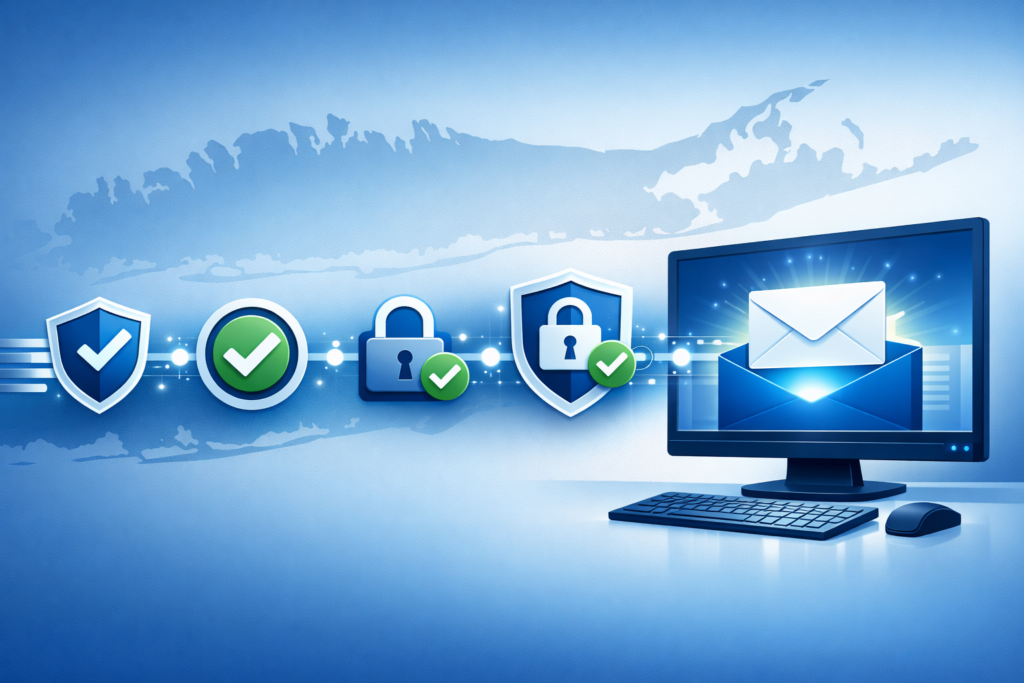
By 2026, Google, Yahoo, Microsoft, and Apple Mail have all moved from “recommended” to “enforced” on email authentication, SPF, DKIM, and DMARC are now the entry fee for the inbox, not a nice-to-have. For the social media manager who also runs the brand newsletter (and that’s most of you), your campaigns are either landing or quietly dying in spam, and the symptoms look identical from your dashboard.
Why It Matters
The “social media manager” job in 2026 is rarely just social. At small and mid-sized brands across the country and beyond, the same person scheduling TikTok and Instagram is usually also writing the Mailchimp newsletter, syncing the Klaviyo flows, and approving the abandoned-cart sequence. Email is still the highest-ROI channel for most consumer-facing brands, DMA benchmarks peg returns at roughly $36 for every $1 spent, but that ROI assumes the email actually reaches a human.
It often doesn’t. Google’s 2024 sender requirements forced bulk senders (anyone sending more than 5,000 messages a day to Gmail) to authenticate with SPF, DKIM, AND DMARC. By 2026, Yahoo, Microsoft, and Apple Mail have aligned with those rules, and the threshold has effectively dropped, smaller senders are getting throttled too if their configuration is sloppy. If your social calendar drives traffic to a landing page that triggers a welcome email, and that welcome email goes to spam, you’ve broken the funnel before the social spend ever shows ROI.
What’s New / How It Works
Three protocols are doing the work, and all three need to be configured correctly on every domain you send from.
SPF (Sender Policy Framework) is a DNS record that lists which servers are allowed to send email on behalf of your domain. The classic break: a brand adds a new platform (Klaviyo, Mailchimp, HubSpot, ConvertKit) and forgets to update SPF. Those campaigns start landing in spam two days later and nobody connects the dots.
DKIM (DomainKeys Identified Mail) adds a cryptographic signature to every outgoing message so the recipient’s server can verify it wasn’t altered in transit. It’s a tamper-evident seal. Setup requires adding a TXT record to your DNS and enabling DKIM signing inside your sending platform.
DMARC (Domain-based Message Authentication, Reporting, and Conformance) sits on top of SPF and DKIM and tells receiving servers what to do when one of them fails, and ships you XML reports about every attempt. In 2026, a DMARC policy of at least p=quarantine is the baseline expectation for any business that wants consistent inbox placement.
For social media managers, the takeaway is short: any platform you’ve connected to send email, including the “email my list” button buried inside your social analytics tool, needs to live inside a coherent authentication setup. Fragmented sending across five tools with five different sender configs is the fastest route to a wrecked reputation.
Email and social are the same campaign in 2026, the spam folder kills the social spend before it ever shows up in your analytics.
The Numbers
The 2026 deliverability standard, in headline figures:
- p=quarantine, the minimum DMARC policy for consistent inbox placement
- 0.1%, the spam-complaint ceiling on Google Postmaster Tools before reputation damage kicks in
- 6 months, the engagement window after which dormant subscribers should be re-engaged or removed
- 5,000 messages/day, Google’s bulk-sender threshold that triggered the 2024 enforcement push
- ~$36, average return per $1 spent on email marketing, per DMA benchmarks
“The businesses that thrive with email marketing aren’t the ones with the biggest lists, they’re the ones that treat deliverability as an ongoing operational priority.”
That framing matters for social managers especially: deliverability is not a one-time IT ticket. It’s a recurring discipline, the same way your posting cadence and analytics are.
What Comes Next
The enforcement curve is going one direction: tighter. Apple Mail’s 2026 rollout closed the last major gap in authentication coverage. AI-powered filtering at Google and Microsoft now evaluates sending cadence, content quality, and recipient engagement in addition to the technical handshake, so a clean SPF/DKIM/DMARC setup is necessary but no longer sufficient.
Two practical shifts are already underway. First, brands are consolidating sending: instead of five tools each firing from a slightly different subdomain, marketing teams are routing more volume through a single authenticated platform to protect domain reputation. Second, Google Postmaster Tools and Microsoft’s SNDS have become must-haves, they show you exactly how Gmail and Outlook are treating your mail, with anomaly detection that flags reputation drops before they tank a campaign.
Expect 2027 to add stricter alignment requirements and possibly a tighter spam-complaint threshold. The brands that get their authentication house in order in 2026 will spend 2027 publishing; the ones that don’t will be debugging.
What This Means for You
If you’re the person running social for a brand, three questions land on your desk this quarter:
- Is your sending domain authenticated? Pull up your DNS records, or ask whoever manages them. SPF, DKIM, and DMARC all need to be live. A free DMARC lookup tool will tell you in 30 seconds.
- Are all your sending tools listed? Every platform you’ve connected to send email, including any automation that fires off a confirmation, a receipt, or an abandoned-cart message, needs to be inside your SPF record and DKIM-signed.
- Is your list clean? AI-powered validation services run periodic sweeps. A list that bounces 5% on send tells inbox providers you don’t curate, and your reputation drops accordingly.
Email and social aren’t separate disciplines anymore, they share campaigns, landing pages, and increasingly, dashboards. Feedsta handles the social side of that workflow, multi-platform scheduling, cross-brand publishing, AI-assisted captions, so the time you save there can go into the email side that desperately needs the attention. If your campaigns are driving traffic through a link-in-bio or shortener, the same hygiene logic applies: broken redirects and stale destinations damage trust the same way a spam-foldered newsletter does.
For more on the cross-channel discipline, see our pieces on protecting links during site migrations and writing copy that lands across email and social.
The Bigger Picture
Email deliverability is one of those operational disciplines that’s boring until it’s catastrophic. The brands that wake up to a 60% inbox-placement collapse on a Monday morning didn’t get unlucky, they let the small stuff slide for a quarter. In 2026, with social and email increasingly run by the same person, the spam folder is no longer a separate problem. It’s part of the same campaign performance question, and it deserves the same attention you give your TikTok analytics.