Google Analytics Now Tracks Business Profile Data: A Social Manager’s Guide
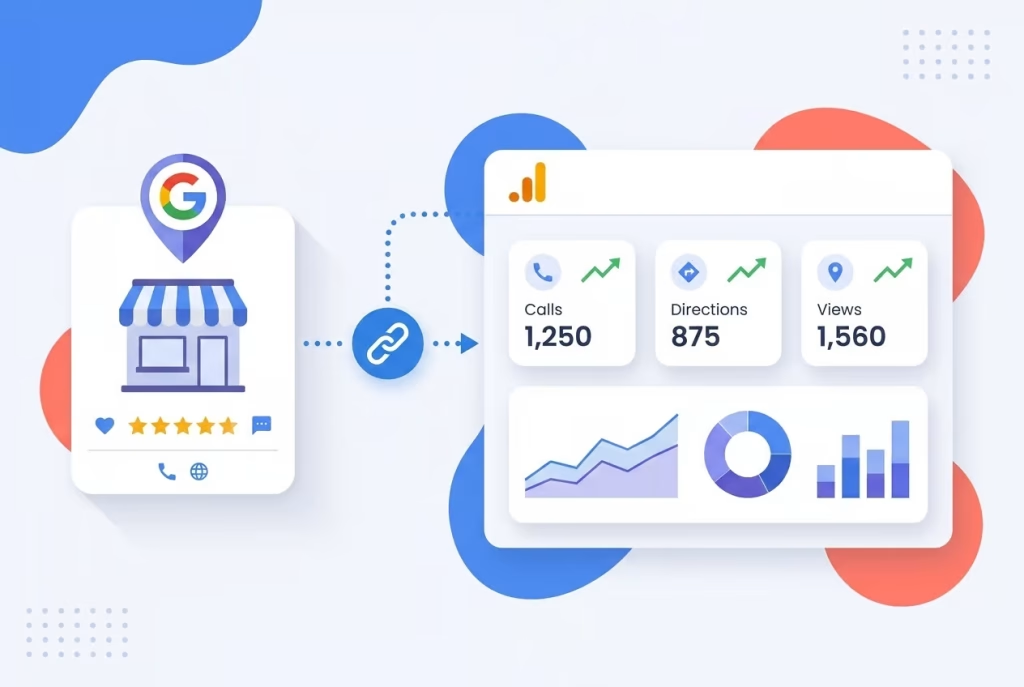
Calls, direction requests, bookings, the high-intent local actions that happen right on your Google Business Profile have always been invisible inside Google Analytics 4. That blind spot is now gone. GA4 can now pull seven native interaction types directly from your Google Business Profile, closing a measurement gap that has frustrated marketers for years. For social media managers running multi-location brand pages or proving the offline impact of social content, this is a signal upgrade you can act on immediately.
Measuring what matters, not just clicks, but calls and directions, transforms how social teams prove the value of local engagement.
Why It Matters
Local intent is the bridge between a social post and a store visit, a reservation, or a phone call. According to Google’s own consumer insights, 76% of people who search for something nearby on their smartphone visit a related business within a day, and 28% of those searches result in a purchase (Think with Google). Social media managers fuel that pipeline every time they post a local offer on Instagram, share location-tagged content, or encourage reviews that boost a Business Profile’s visibility.
Until now, the only way GA4 could attribute traffic from a Business Profile was through UTM-tagged website links. Those tags capture clicks to a site, but they miss every tap on “Call,” every request for driving directions, every booking completed right on the profile. Those actions existed in a separate Google Business Profile dashboard, forcing social teams to stitch together exports and make educated guesses about what their content actually drove off-platform. Native integration changes the math.
What’s New / How It Works
Google has added Google Business Profile as a Product Link inside GA4. Once you connect a profile (or multiple profiles) via the Admin settings, a dedicated reporting section surfaces seven interaction types directly inside your Analytics property. This isn’t a restyling of old data, it’s live, off-site local behaviour flowing into the same reporting layer you already use for website activity, ad performance, and e-commerce events.
Here’s how to set it up:
- Go to GA4 Admin → Product Links → Google Business Profile links.
- Click Link and select the profile(s) you want to connect.
- You’ll need Editor or Administrator access on the GA4 property and Owner or Manager permission on the Google Business Profile(s) you’re linking.
After linking, GA4 begins collecting the seven standard Business Profile metrics, regardless of your business category. That means you may see rows for interactions that don’t apply to your brand (for example, “menus” for a service business), but the insight is that you can now view all these signals in one place for the first time.
The Numbers
Once the link is active, the following seven interaction types appear inside GA4 reports:
- Interactions, total actions taken on the profile
- Website clicks, taps that sent users to your site
- Calls, phone call button taps from the profile
- Directions, requests for navigation to your location
- Messages, chat messages initiated through the profile
- Bookings, appointments or reservations made directly
- Menu views, interactions with a linked menu (e.g., restaurant)
“When you link your Google Business Profile to your Analytics property, you can see how customers find and interact with your business across Google.”
, Google Analytics Help
This data lives alongside your standard acquisition and engagement metrics, so you can start understanding, for instance, whether a spike in direction requests correlates with a recent Instagram carousel or a local influencer campaign. Previously, that correlation required you to manually match time stamps between two separate dashboards.
What Comes Next
The current integration is a first step, and it has limits. If you link multiple Business Profiles, GA4 aggregates all metrics into a single dataset with no way to filter by individual location. The data cannot be used in explorations, comparisons, or advanced filters, and it is retained for only six months. Multi-location brands and agencies will still need the native Business Profile dashboard or the Performance API for location-level analysis.
However, this aligns with Google’s broader push to centralize measurement across its properties, similar to how Search Console and Google Ads data now flow into GA4. Future iterations could bring per-location segmentation, longer data retention, and tighter integration with Google Ads location extensions, turning those high-intent local actions into optimization signals for automated bidding and campaign targeting.
What This Means for You
As a social media manager, you’ve probably defended your work with engagement metrics that feel disconnected from real-world revenue. Now you can put actual store visits, phone calls, and bookings next to those Instagram likes and TikTok views. That makes it easier to show the value of a social media strategy that includes local search visibility, Google Posts, and review responses, all of which influence how your Business Profile performs.
The integration also reinforces the message from our earlier piece on why social media KPIs lie in the AI era: partial data leads to partial conclusions. With GA4 now swallowing local actions natively, you can finally build dashboards that reflect the full journey from a social touchpoint to a real-world conversion.
To make the most of this, schedule content across TikTok, Instagram, Facebook, and your Google Business Profile from one dashboard with Feedsta, an AI social media management platform built for multi-brand teams. Then run a free visibility scan at BizScoreAI to see how your business appears in AI-powered search results from ChatGPT, Gemini, and Perplexity, because local discovery is now happening inside generative engines as much as it is on Google Maps. Finally, read our breakdown of the AI search liability ruling to understand how false statements in AI-generated local overviews can put your brand at risk.
The Bigger Picture
Google is quietly stitching together its first-party data layer so marketers spend less time on manual data merges and more time acting on insight. For social teams that manage a growing portfolio of local brand profiles, the ability to see calls and bookings inside the same GA4 property they already use is a signal that local engagement is no longer a side channel, it’s a core conversion surface. The brands that connect it now will be the ones with a complete measurement story before the rest of the market catches up.